RECOGNIZE
A picture becomes
possibility.
Rasayan OCSR turns a chemical image into a structure you can review, edit and investigate. Recognition runs on your computer.
 RASAYAN LABS
From the first bond to the final report.
A scientific desktop built around the way you think.
A SCIENTIFIC WORLD. ONE WORKSPACE.
From a blank canvas to molecular shape and spectral insight.
Everything begins with your chemistry.
FOLLOW THE CHEMISTRY
RECOGNIZE
Rasayan OCSR turns a chemical image into a structure you can review, edit and investigate. Recognition runs on your computer.
EXPLORE
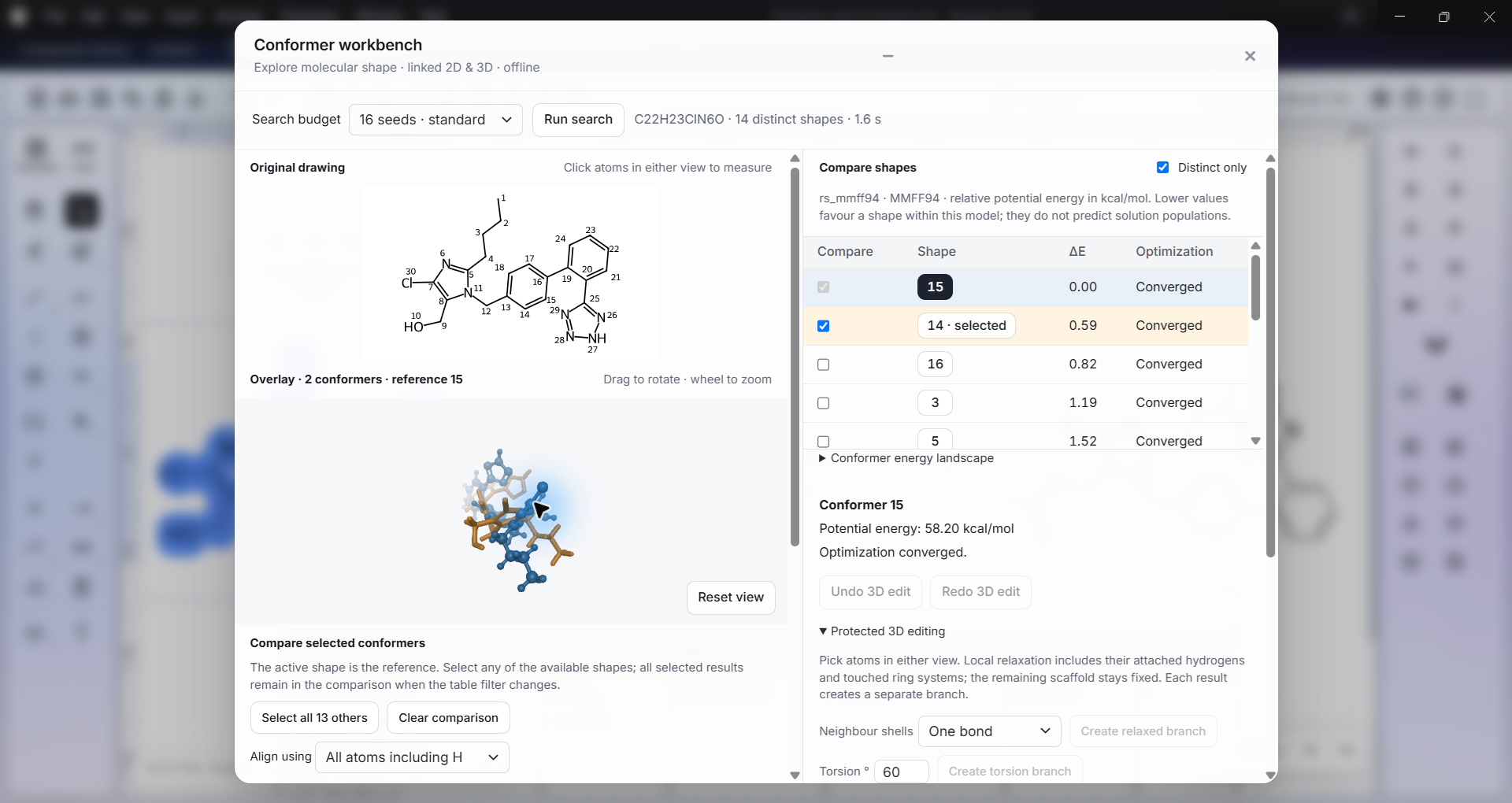
Generate conformers. Align molecular shapes. Compare geometry and relative energies, then explore protonation, tautomers and pKₐ.
INTERPRET
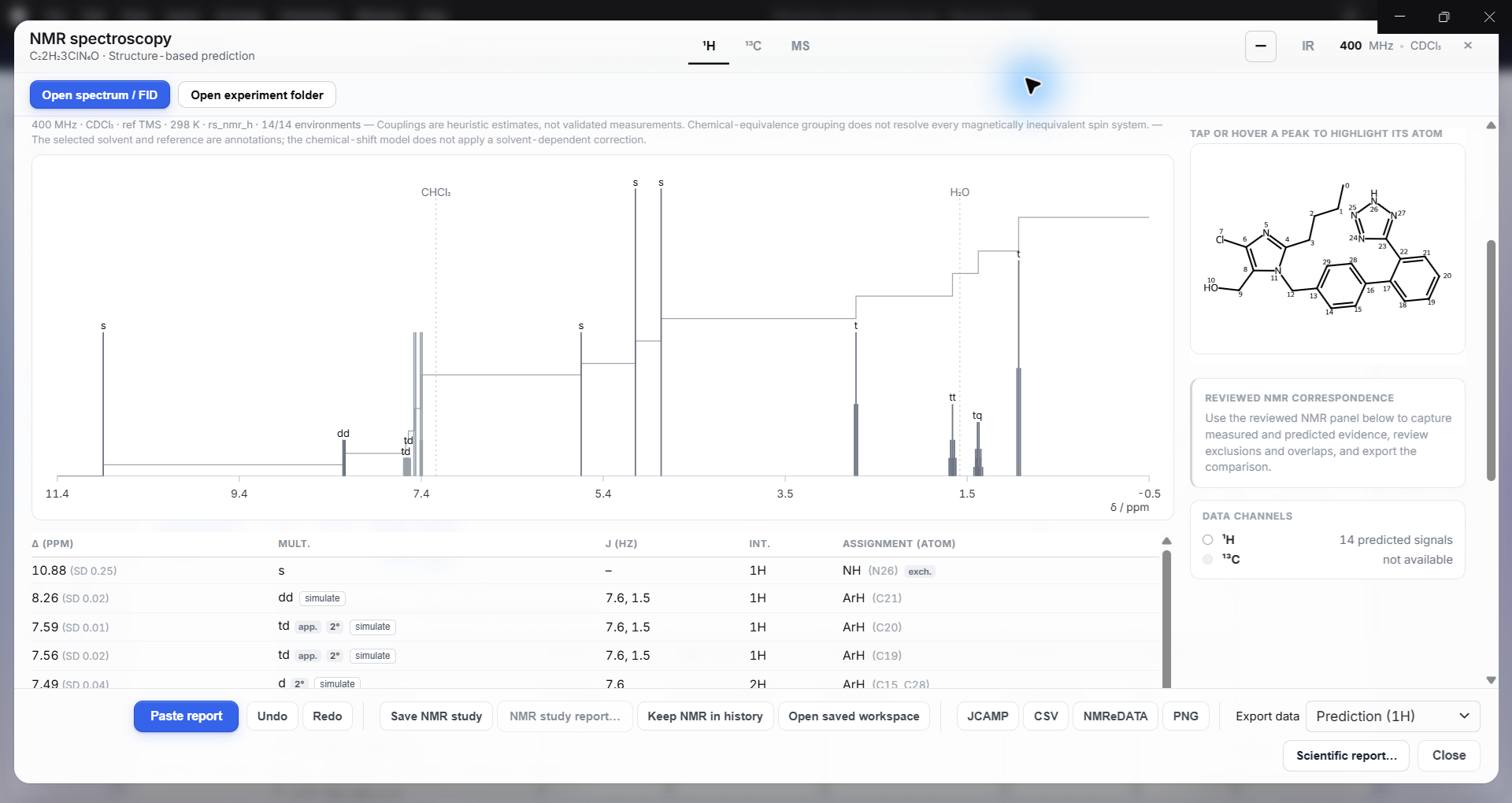
Predict ¹H and ¹³C NMR. Work with measured spectra and inspect assignments beside the chemistry that gives them meaning.
CONNECT
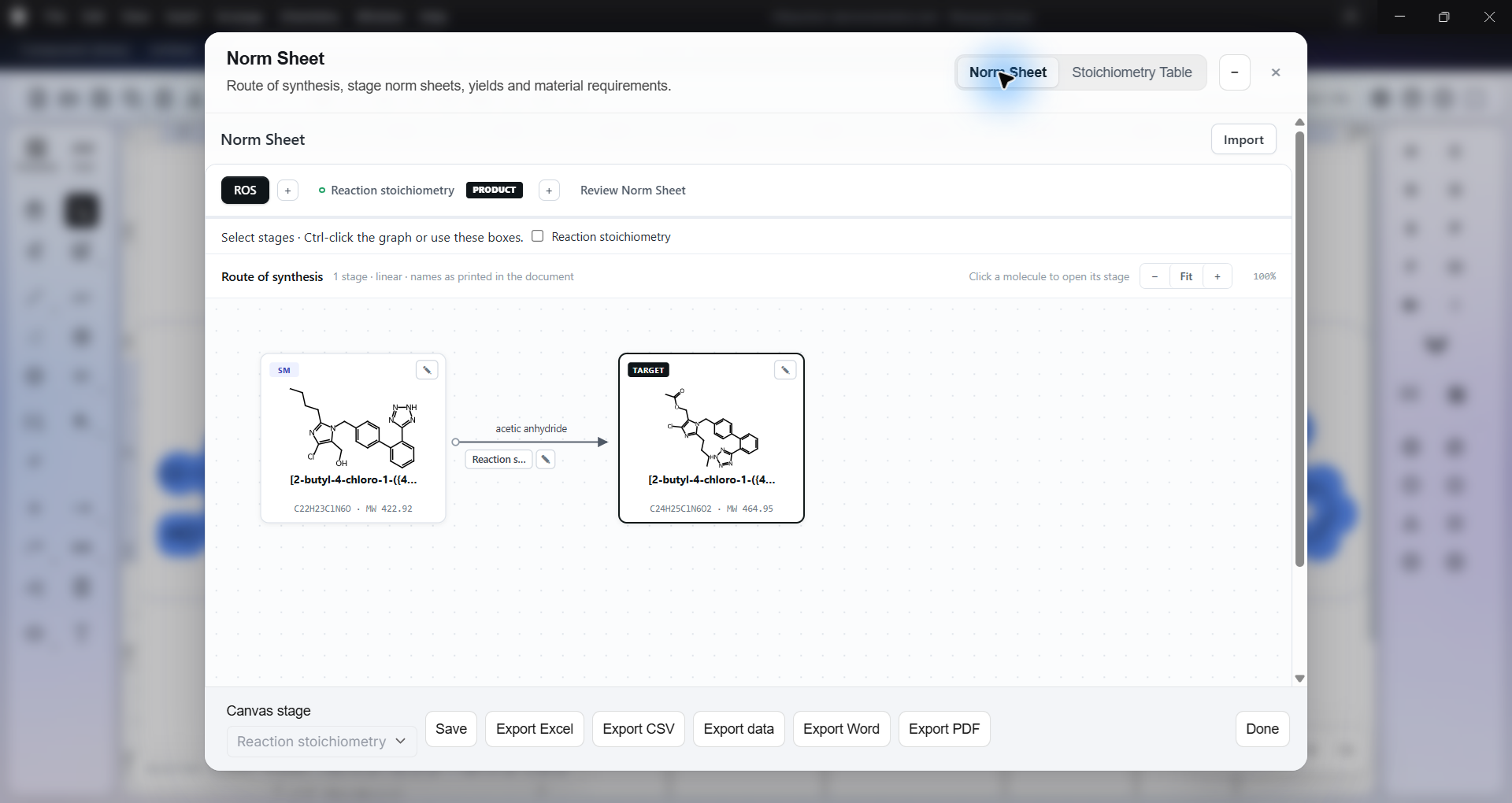
Connect reaction stages, material requirements and yields in Norm Sheets. Take structured calculations into Excel and editable chemistry into Office.
START WITH THE IMAGE. UNLOCK THE CHEMISTRY.
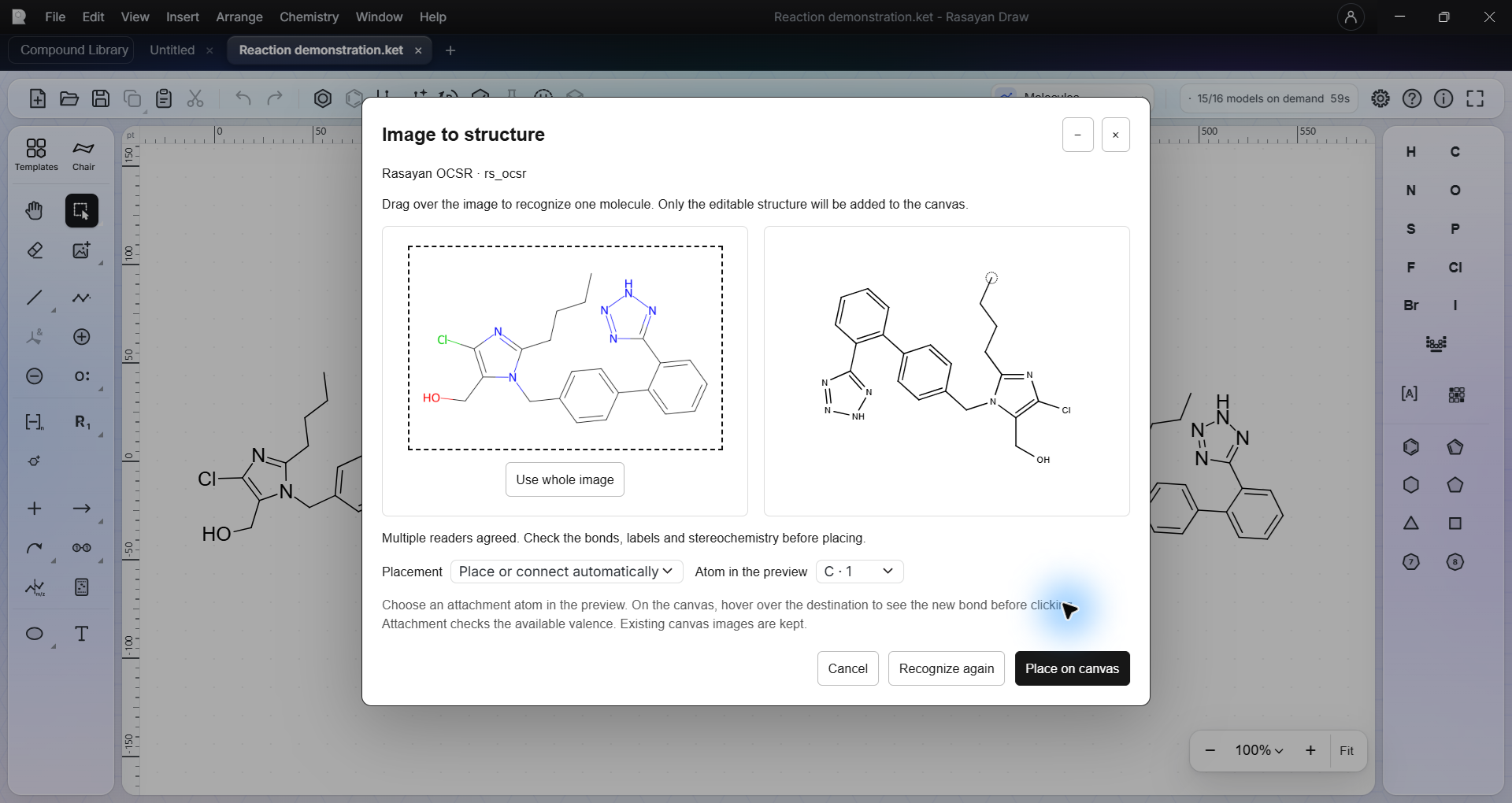
Meet Rasayan OCSR. Bring in a chemical image, recognize its structure on your computer, review the result and place editable chemistry on your canvas.
Open a chemical image and select the structure you want to recognize.
Compare the recognized structure with its source before placing it.
Edit the molecule, explore its properties or take it into a reaction.
MUCH MORE THAN A DRAWING
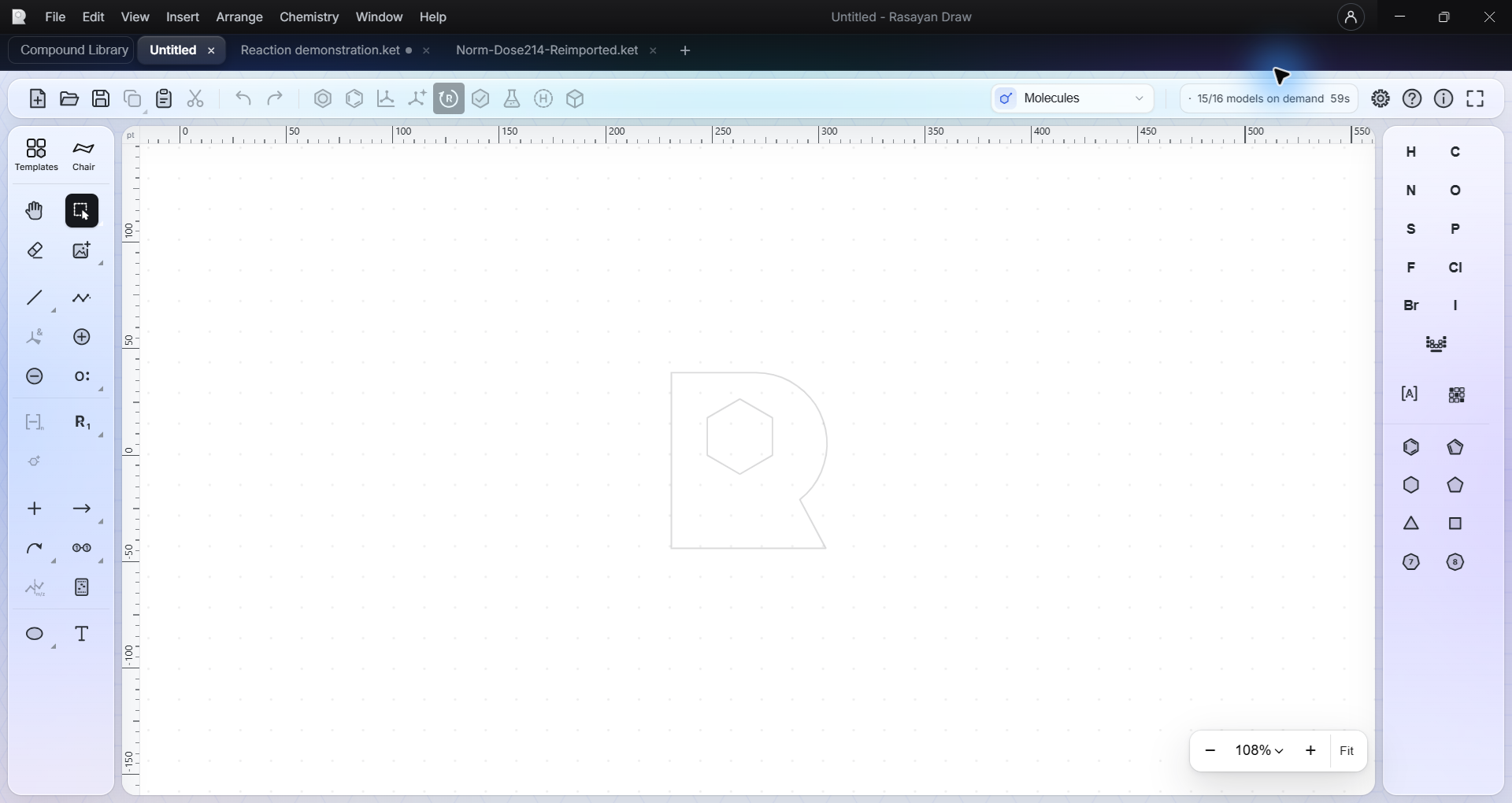
Draw a molecule. Explore its properties. Examine its spectra. Build the reaction. Calculate the quantities. Carry it all into your next paper.
One connected workspace for chemistry that moves from an idea to something you can use.
01 / CREATE
Structures, reactions, peptides and the details that make them yours. Work across tabs, refine your layout and keep the chemistry editable.
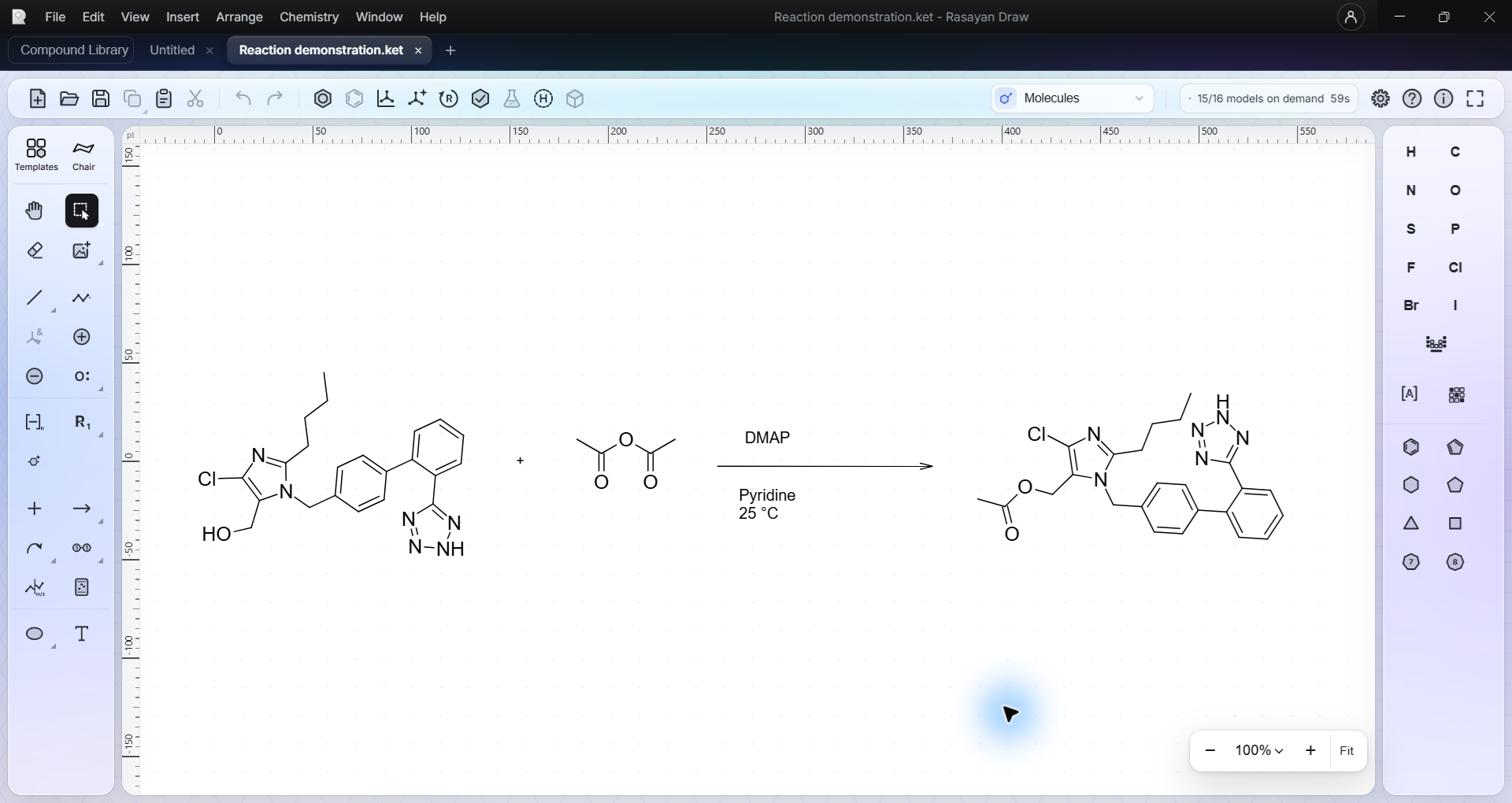
Stereochemistry, charges, reaction arrows, atom mapping, abbreviations and templates.
Draw by hand, work from a chemical name, paste a structure or recognize a chemical image.
Multiple drawings, undo and redo, local saves and familiar scientific file formats.
ELEMENTS. A NEW PERSPECTIVE.
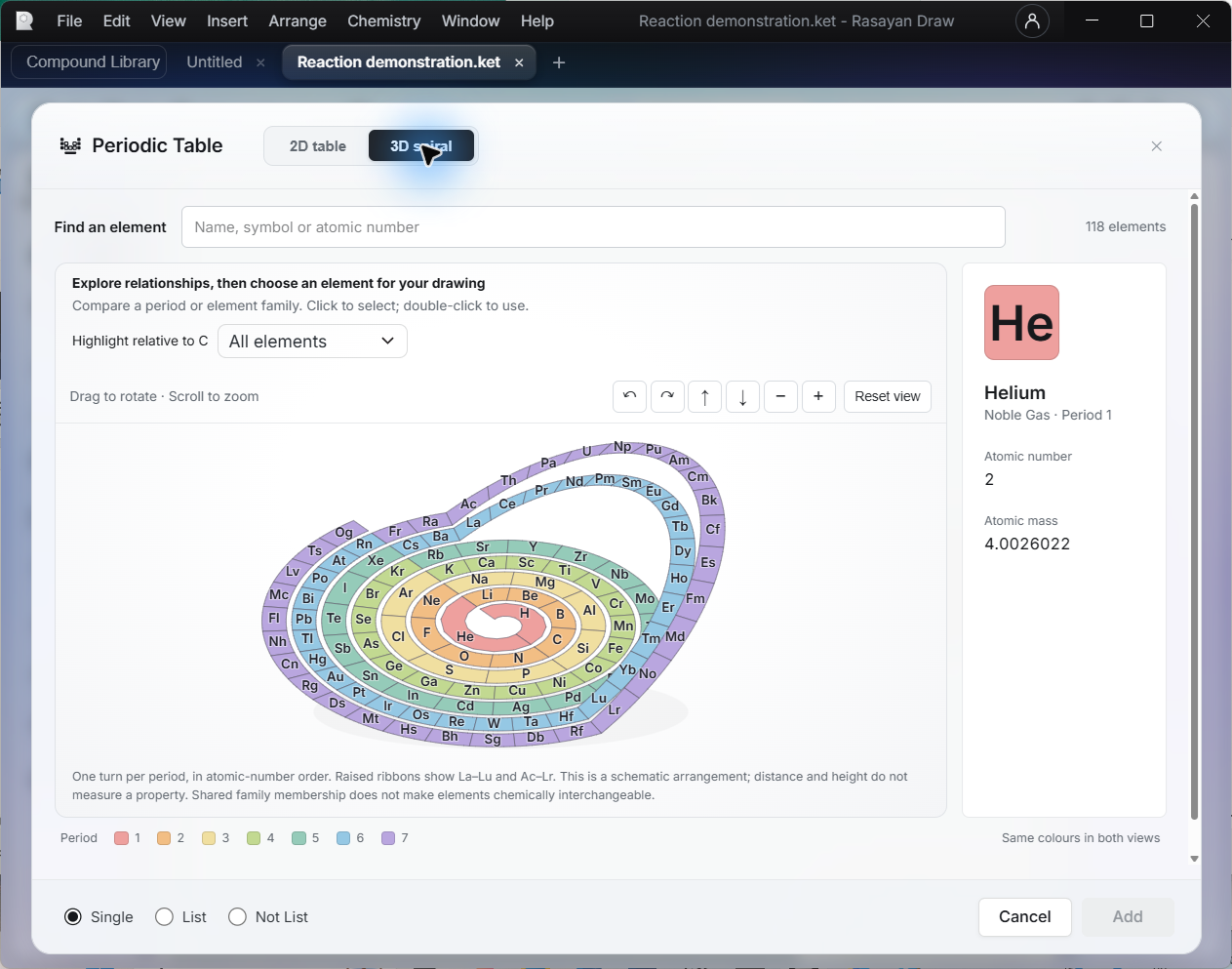
Move between a familiar table and an interactive 3D spiral. Explore periods and element families, inspect atomic information, then choose an element for your drawing.
A scientific reference built into your workspace.
03 / CALCULATE
Your stoichiometry belongs with your chemistry. Build a table for a single reaction, then take a multistage synthesis into the Norm Sheet workspace.
Work with a limiting reagent, quantities, units, equivalents and yield. Keep a single-stage stoichiometry table alongside the reaction on your canvas.
For multistage work, use Norm Sheets to connect stages, review material requirements and export your calculations.
04 / COMMUNICATE
Draw Microsoft WordPapers & reports
 Microsoft ExcelTables & compound data
 Microsoft PowerPointPresentations & discussions
Bring editable chemical drawings into Word, Excel and PowerPoint. Open embedded chemistry in Draw, make your changes and save them back into the document.
Editable Office objects require the supported desktop Office applications and Rasayan Draw on Windows.
BRING YOUR SCIENCE WITH YOU
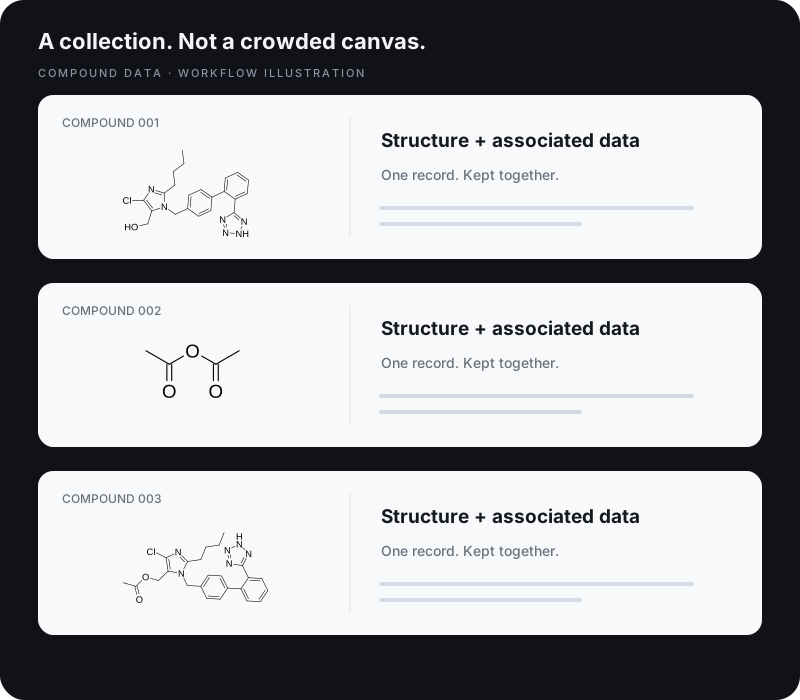
Open chemical drawings, compound datasets and supported instrument data. Keep molecular structures and their associated properties together.
Explore supported formats ↘SCIENTIFIC AI. RUNNING RIGHT HERE.
Image recognition, molecular prediction and chemical naming run locally. Move from a captured structure to the questions that matter, without uploading your chemistry for inference.
Turn chemical images into editable structures with Rasayan OCSR.
Generate chemical names from structures, or start a drawing from a chemical name.
Explore predicted ¹H and ¹³C spectra alongside the molecule.
Predict pKₐ locally and explore protonation states across pH.
Generate and rank alternative tautomeric forms for further investigation.
Explore conformations, compare structures and refine molecular geometry.
Investigate predicted products and bring the chemistry back to your canvas.
Explore predicted MS/MS fragmentation and mass-spectral evidence.
AI predictions support scientific interpretation and require review. Account-based licence synchronization is separate from local scientific computation.
THE POWER STAYS WITH YOU
Your drawing and scientific computations run on your computer. Keep working without sending your molecular work to a cloud service.
Account-based activation can connect to Rasayan for licence synchronization. Scientific workflows remain local.
MADE FOR THE DETAILS
Work with MOL V2000/V3000, SDF, RXN, RDF, SMILES, InChI, KET, CDX and CDXML. Import and export support varies by format and content.
Structures, reaction schemes, atom mapping, stereochemistry, labels, abbreviations, templates and macromolecular workflows are part of the drawing workspace.
Import supported Bruker and Agilent/Varian NMR datasets, JCAMP-DX, CSV and supported mass-spectrometry formats including mzML and mzXML.
Explore NMR processing and assignments, IR processing and reference comparisons, and mass-spectral analysis. Instrument-format support depends on the dataset and experiment.
Open multi-record SDF datasets in a compound table, keeping structures with their original properties. Search, filter, select records and export structured workbooks.
Images in workbook cells and editable embedded chemical objects serve different workflows. Use the appropriate export for the document you need.
Set material roles, limiting reagents, quantities, units and equivalents for a reaction. Calculate yield, scale quantities and retain a single-stage table on the canvas.
Use the Norm Sheet modal for connected stages, material requirements and route calculations. Review results and export to supported spreadsheet and report formats.
Download Rasayan Draw for Windows. Find release details, system requirements and installation guidance on the download page.
A valid licence is required. File-based offline activation and Rasayan account activation are available. Contact Rasayan for access or help choosing your activation method.
This release is unsigned; Windows may warn or block installation. Do not disable Windows security settings. Contact support if installation is blocked.
MEET YOUR NEW SCIENTIFIC DESKTOP
Rasayan Draw for Windows.